

Every business has daily tasks that consume valuable time. Employees spend hours responding to customer inquiries, updating spreadsheets, entering information, preparing reports, managing documents, and following up with clients. Although these activities are important, many of them involve repetitive steps that do not always require manual effort.
As a business grows, these tasks become harder to manage. Teams may struggle with increasing workloads, delayed responses, missed follow-ups, and errors caused by manual data entry. Hiring additional employees can help, but it does not always solve the underlying problem.
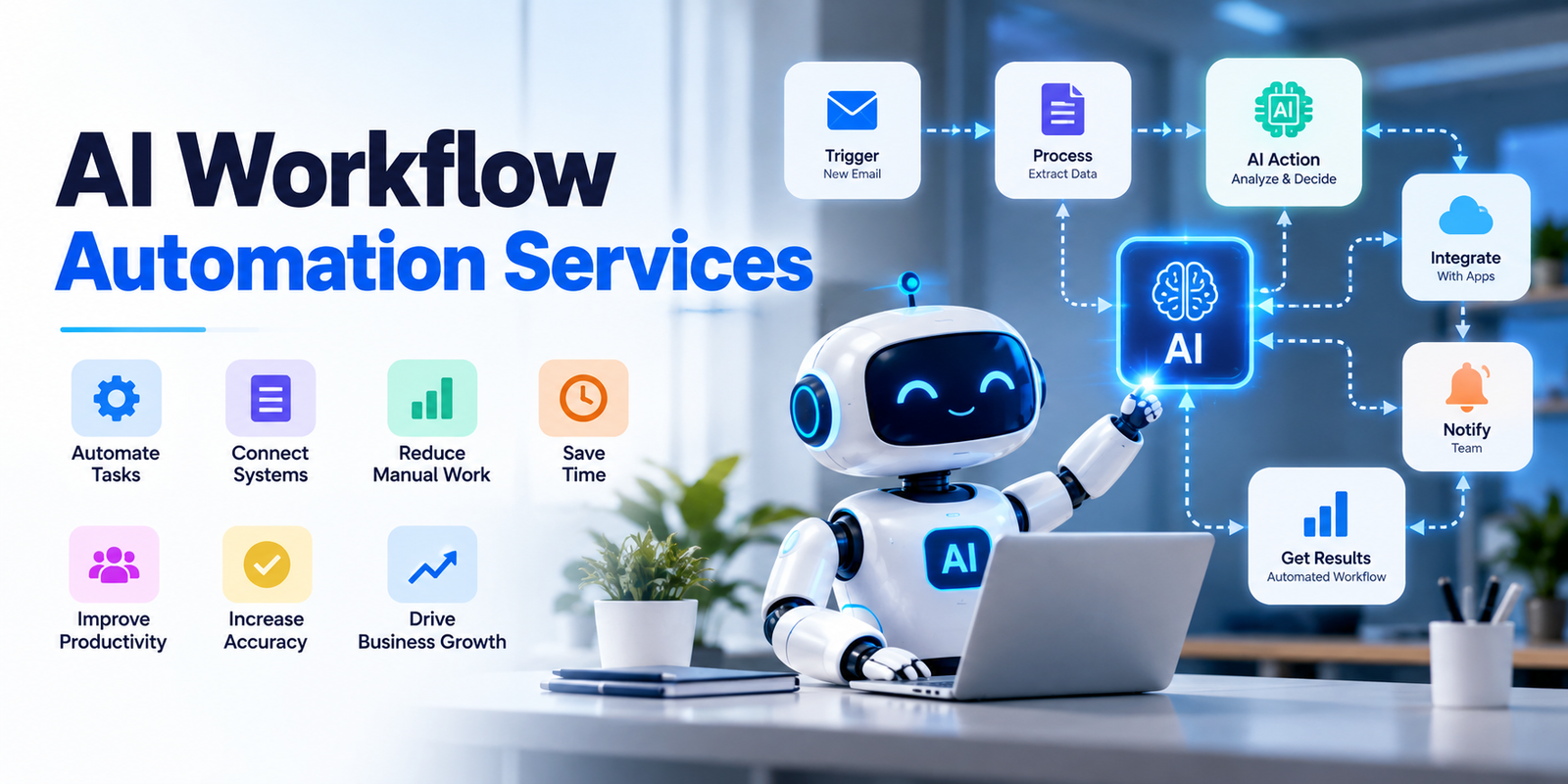
This is where AI Workflow Automation Services can make a difference. They help businesses identify repetitive activities, connect different software applications, and automate workflows using artificial intelligence. Instead of manually completing every step, employees can focus on important responsibilities while automated systems handle routine work.
In this guide, we will explain which business processes you should automate first, how to prioritize automation opportunities, and how Vision Infotech can help your business build more efficient workflows.
What Are AI Workflow Automation Services?
AI workflow automation involves using artificial intelligence, business rules, and software integrations to complete tasks that would otherwise require manual work.
Traditional automation follows predefined instructions. For example, when a customer submits a form, the system sends an automatic confirmation email.
AI-powered automation can handle more complex activities. It can understand incoming messages, extract information from documents, categorize customer requests, identify patterns, and suggest the next action.
AI Workflow Automation Services help businesses plan, develop, integrate, and manage these automated processes according to their operational requirements.
Some common applications include:
- Automatically capturing and organizing customer information.
- Categorizing emails and directing them to the right department.
- Extracting information from invoices and business documents.
- Managing sales leads and customer follow-ups.
- Generating reports from different business applications.
- Automating customer support requests.
- Connecting CRM, ERP, accounting, and other business systems.
The main objective is not to replace employees. It is to reduce unnecessary manual work and help teams complete their responsibilities more efficiently.
Which Business Processes Should You Automate First?
Choosing the right process is one of the most important decisions when starting an automation project. A good starting point is a task that happens frequently, follows a predictable pattern, consumes employee time, and creates measurable business value.
Here are the processes worth considering first.
1. Customer Inquiry and Lead Management
Customer inquiry management is one of the best starting points for many businesses, especially those that receive leads through websites, emails, social media, and advertising campaigns.
When inquiries arrive from multiple channels, employees may need to collect customer details, check requirements, assign leads, and send responses manually. This can create delays and increase the chances of missing potential customers.
With AI-powered workflow automation, businesses can simplify this entire process.
What Can Be Automated?
- Capture inquiries from website forms and emails.
- Organize leads according to their requirements.
- Identify the type of service a customer is interested in.
- Assign inquiries to the appropriate sales representative.
- Send automatic confirmation messages.
- Schedule follow-up reminders.
- Update customer records in the CRM.
Example:
Imagine a software development company receiving 50 to 100 inquiries every week. Its sales team manually reviews each inquiry and assigns it to the relevant employee.
An automated workflow can capture the information, identify the service requirement, create a CRM record, and notify the responsible salesperson.
2. Email Management and Customer Communication
Email is an essential part of business communication, but managing a large inbox can take considerable time.
Employees regularly receive customer questions, service requests, project updates, invoices, meeting requests, and internal messages. Finding important emails and deciding how to respond can slow down daily operations.
AI-based email automation can help organize incoming communication and reduce repetitive work.
What Can Be Automated?
- Categorizing emails based on their purpose.
- Identifying urgent customer messages.
- Extracting important information from incoming emails.
- Sending predefined responses for common questions.
- Forwarding messages to the appropriate department.
- Creating follow-up tasks.
- Summarizing long email conversations.
Example:
A customer support team receives emails about product information, billing, technical problems, and service updates.
An automated system can recognize the general purpose of each message and direct it to the correct team. Common questions can receive approved responses, while complex requests can be forwarded to employees.
This helps businesses manage communication without requiring staff to review every message manually.
3. Invoice Processing and Accounting Tasks
Accounting departments handle several repetitive activities, including invoice creation, payment tracking, expense recording, and financial data entry.
When these tasks are completed manually, even small mistakes can affect financial records and create additional work.
This makes accounting a practical area for automation, particularly for businesses that process a large number of invoices.
Which Accounting Tasks Can Be Automated?
- Extracting information from supplier invoices.
- Recording invoice numbers, dates, and amounts.
- Matching invoices with purchase orders.
- Organizing expense information.
- Sending payment reminders.
- Updating accounting records.
- Preparing routine financial summaries.
How Does It Work?
AI-powered document processing can read information from invoices and extract relevant details. The extracted information can then be transferred to an accounting application for review and processing.
For example, a company receiving 200 supplier invoices every month may spend significant time entering information into its accounting software.
An automated workflow can extract the relevant details and prepare records for verification. Employees can review exceptions and approve transactions instead of entering every field themselves.
Businesses should retain approval controls for sensitive financial activities. Automation should support accurate accounting, not remove necessary financial supervision.
4. Data Entry and Information Management
Data entry is one of the most common repetitive activities across different industries.
Employees often transfer information between spreadsheets, CRM platforms, accounting applications, project management tools, and internal databases.
When the same information is entered into multiple systems, the possibility of incorrect or duplicate records increases.
AI Workflow Automation Services can help businesses reduce these problems by connecting applications and managing information automatically.
Tasks Worth Automating
- Transferring information between business applications.
- Updating customer contact details.
- Organizing employee records.
- Extracting information from digital documents.
- Identifying duplicate entries.
- Updating inventory records.
- Synchronizing data between connected platforms.
Example:
A company uses one application to collect customer information and another to manage sales activities.
Without integration, employees must copy customer details manually. An automated workflow can transfer the required information between the two applications whenever a new customer record is created.
This reduces repeated data entry and helps maintain consistent information across departments.
However, businesses should first review their existing data quality. Automating inaccurate or outdated records can spread the same problems across multiple systems.
5. Customer Support and Frequently Asked Questions
Customer support teams often spend a large part of their working hours answering similar questions.
Customers may ask about service availability, pricing, order status, delivery timelines, account information, and basic troubleshooting.
When employees repeatedly answer the same questions, they have less time to handle complicated customer issues.
AI-powered automation can improve the first stage of customer support.
What Can Be Automated?
- Answering common questions using approved information.
- Categorizing customer support tickets.
- Identifying the urgency of incoming requests.
- Sending order or service updates.
- Collecting basic information before escalation.
- Routing technical problems to the appropriate team.
- Summarizing customer conversations for support agents.
Example:
An online service provider receives frequent questions about subscription plans and account access.
An automated support assistant can answer common questions using verified company information. If a customer reports a technical issue that requires investigation, the system can collect relevant details and transfer the request to a support employee.
The important point is to provide a clear option for human assistance. Not every customer problem can be resolved through automated responses.
6. Document Processing and Data Extraction
Businesses manage different types of documents every day, including contracts, applications, purchase orders, reports, forms, and customer records.
Reviewing these documents manually can be time-consuming, especially when information needs to be transferred into other systems.
AI document processing can help businesses understand document content and extract specific information.
Documents That Can Be Processed Through Automation
- Supplier invoices.
- Customer application forms.
- Purchase orders.
- Business contracts.
- Employee documents.
- Delivery records.
- Insurance forms.
For example, an organization receiving hundreds of application forms may need employees to review each document and enter the information into an internal system.
An automated workflow can extract names, contact details, reference numbers, and other required fields. Employees can then verify the information before it becomes part of the official record.
7. Sales Follow-Ups and Appointment Scheduling
Sales opportunities can be lost when businesses fail to follow up with potential customers at the right time.
Sales representatives may forget to contact leads, miss scheduled meetings, or spend unnecessary time coordinating appointments.
Automating sales follow-ups can help teams maintain consistent communication.
What Can Be Automated?
- Creating follow-up reminders.
- Sending appointment confirmations.
- Sharing meeting details.
- Updating sales opportunity records.
- Notifying sales representatives about pending leads.
- Sending approved follow-up emails.
- Recording customer responses.
Example:
A consulting company receives an inquiry from a potential customer who requests a service quotation.
After the quotation is shared, an automated workflow can create a reminder for the sales representative. If the customer does not respond within the expected period, the system can notify the responsible employee to follow up.
8. Employee Onboarding and HR Administration
Human resource departments manage several administrative activities when new employees join an organization.
These include collecting documents, creating employee records, arranging introductory meetings, sharing company policies, and notifying different departments.
Many of these activities follow a predictable sequence and can be automated.
HR Activities Suitable for Automation
- Sending onboarding forms.
- Collecting employee information.
- Creating employee records.
- Scheduling introductory meetings.
- Sharing company policies and guidelines.
- Sending reminders for pending documents.
- Notifying IT and administration teams.
For example, when a new employee accepts an offer, an automated workflow can initiate the onboarding checklist and notify the relevant departments.
HR employees can then focus on employee communication, training, and workplace support rather than managing every administrative step manually.
9. Inventory Management and Order Processing
Businesses involved in manufacturing, distribution, and eCommerce often manage large volumes of inventory and customer orders.
Manual inventory updates can create problems such as incorrect stock information, delayed order processing, and unexpected shortages.
Automation can help businesses improve coordination between inventory, sales, and order management systems.
Processes That Can Be Automated
- Updating inventory after an order is processed.
- Sending low-stock notifications.
- Organizing incoming orders.
- Generating order confirmation messages.
- Tracking order status.
- Notifying teams about delayed orders.
- Preparing regular inventory reports.
Example:
A distributor receives orders from multiple customers throughout the day. When an order is confirmed, an automated workflow can update the inventory record and notify the warehouse team.
If stock reaches a predefined level, the system can send a notification to the purchasing department.
AI-based forecasting can also help identify demand patterns, although purchasing decisions should consider supplier availability, seasonal changes, and business requirements.
How to Decide Which Process to Automate First
Knowing which processes can be automated is only the first step. Businesses also need a practical method to decide where to begin.
Not every repetitive task deserves immediate investment. The best choice is usually the process that creates a noticeable operational problem and has a clear opportunity for improvement.
Here are five factors to consider.
1. Identify Tasks That Consume the Most Time
Start by reviewing the daily activities of different departments.
Ask employees which tasks take the most time and which activities they repeat regularly.
For example, if the sales team spends two hours every day updating customer records, this may be a good automation opportunity.
2. Look for Frequent Manual Errors
Processes involving repeated data entry, document handling, and information transfer can create errors.
Identify where mistakes occur most frequently and understand their impact on business operations.
Automating these activities may improve consistency and reduce the time spent correcting errors.
3. Check the Business Impact
Consider how much a process affects customers, employees, and overall business performance.
Automating customer inquiry management may improve response times, while automating invoice processing may reduce administrative workload.
Choose the process that offers the clearest business benefit.
4. Evaluate Existing Software and Integrations
Before developing an automation solution, review the applications your business already uses.
Your organization may already have CRM, ERP, accounting, email, or project management software.
A suitable automation solution should work with existing systems wherever practical. Replacing useful applications is not always necessary.
5. Start Small and Measure Results
Avoid automating multiple departments simultaneously.
Choose one process, test the workflow, collect feedback, and measure its performance.
Once the process works reliably, expand automation to other activities.
Common Mistakes Businesses Should Avoid
Although automation can improve business operations, poor planning can create unnecessary complications.
Businesses should avoid the following mistakes:
Automating everything at once: Large automation projects can become difficult to manage. Begin with one or two high-priority workflows.
Ignoring existing processes: Automating an inefficient process does not automatically make it better. Review and simplify the workflow first.
Choosing tools without understanding requirements: Different businesses have different operational needs. Select technology according to the process rather than choosing software simply because it offers advanced features.
Ignoring employee involvement: Employees understand how daily activities actually work. Include them when identifying problems and testing automated workflows.
Overlooking data security: Automation systems may access customer, financial, and employee information. Apply appropriate permissions, security controls, and data protection practices.
Not measuring performance: Without clear performance indicators, businesses cannot determine whether automation is delivering the expected results.
A successful automation project requires planning, testing, employee feedback, and continuous improvement.
How to Measure the Success of Workflow Automation
After implementing automation, businesses should track whether the new workflow is improving daily operations.
Some useful performance indicators include:
| Performance Metric | What It Measures |
| Processing time | Time required to complete a task |
| Error rate | Frequency of incorrect entries or processing mistakes |
| Response time | Time taken to respond to customer inquiries |
| Employee productivity | Time available for higher-value responsibilities |
| Processing cost | Cost associated with completing a workflow |
| Task completion rate | Percentage of workflows completed successfully |
| Customer satisfaction | Customer experience after process improvements |
For example, if invoice processing previously required several hours of manual work, compare the time needed after automation.
Similarly, measure whether customer inquiries are reaching the right employees faster.
Businesses should establish a baseline before implementation so they can make meaningful comparisons.
Why Choose Vision Infotech for AI Workflow Automation Services?
Choosing the right technology partner is important because automation needs to fit your actual business operations.
Vision Infotech has been a software outsourcing partner since 2012, helping businesses adopt technology through custom software development, AI development, AI consulting services, Zoho CRM customization, and AWS consulting services.
We understand that every business has different workflows, software requirements, and operational challenges. An automation solution that works for one organization may not be suitable for another.
Here is why businesses can consider Vision Infotech for their automation requirements.
1. Business-Focused Automation Approach
We focus on understanding your existing processes before recommending an automation approach. This helps identify repetitive activities and areas where technology can provide practical value.
2. Custom Software Development Capabilities
Some businesses need automation that goes beyond standard software features. Custom development can help address specific operational requirements and connect different business applications.
3. AI and Technology Expertise
Our AI development and AI consulting capabilities support businesses looking to introduce intelligent solutions into their operations.
From document-related workflows to information management, the right approach depends on the business problem and available data.
4. Zoho CRM Customization and Business Integration
Businesses using Zoho CRM may need customized workflows to manage leads, customer information, sales activities, and internal processes.
Vision Infotech also provides Zoho-related services to help businesses align their CRM systems with their operational requirements.
5. Scalable Technology Solutions
Business requirements change as organizations grow. Automation should be designed with future requirements in mind so additional workflows and integrations can be considered as needed.
6. Focus on Long-Term Business Efficiency
Our goal is to help businesses use technology to improve operational efficiency, reduce repetitive work, and support sustainable growth.
Whether you want to improve lead management, automate document processing, or connect existing business applications, Vision Infotech can help you explore an approach that matches your requirements.
If your organization is planning to implement AI Workflow Automation Services, start by identifying the processes that create the most manual work and discuss how they can be improved.
Conclusion
Deciding which business processes to automate first can have a significant impact on the success of your automation project.
A practical approach is to identify one high-priority process, understand how it works, implement a suitable solution, and measure the results. Once the workflow delivers consistent value, businesses can gradually expand automation across other departments.
With the right planning and technology partner, AI Workflow Automation Services in USA can help businesses simplify operations, improve productivity, and create more time for important business activities.
Vision Infotech helps businesses explore AI-powered solutions, custom software development, and business automation according to their operational needs. If you are ready to improve your existing workflows, start by identifying where manual work is slowing your business down and take the first step toward smarter automation.