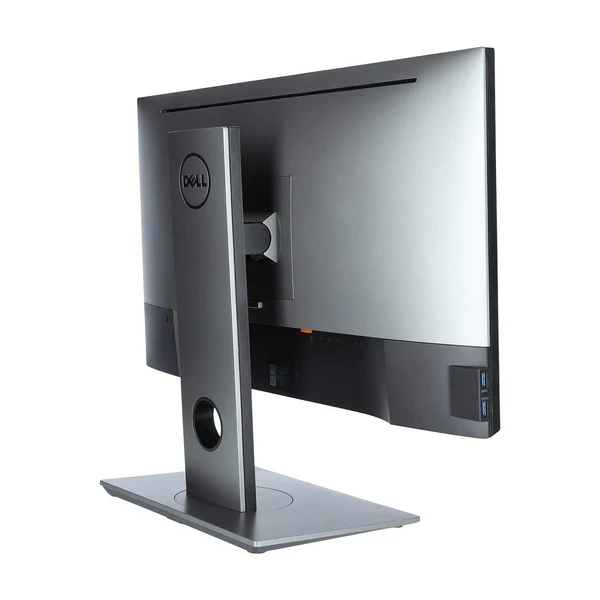


Creating a productive computer setup does not always require buying every component brand new. A refurbished monitor bundle from a trusted provider such as Tech Trade Group can be a practical option for professionals, students, home users, and businesses looking to create an efficient workstation while managing their technology budget. Refurbished monitors can provide reliable display performance, while bundled setups can make it easier to build a complete multi-screen workspace.
What Is a Refurbished Monitor Bundle?
A refurbished monitor bundle typically includes one or more professionally refurbished monitors packaged together for a particular workstation setup. Depending on the bundle, it may include accessories or additional equipment designed to make installation easier.
Refurbished equipment can come from business upgrades, office replacements, returned inventory, or other sources. Before being offered for resale, quality refurbished products may undergo inspection, testing, cleaning, and functional checks.
A monitor bundle can be useful when you need:
- Multiple screens for multitasking
- A consistent workstation setup
- Additional screen space
- An affordable office solution
- Displays for home computing
- Monitors for business environments
- A practical setup for productivity
The exact specifications of a bundle can vary, so buyers should always review screen size, resolution, ports, condition, and included accessories before purchasing.
Why Choose a Refurbished Monitor Bundle?
One of the biggest advantages of refurbished technology is the opportunity to obtain useful equipment at a lower cost than comparable new products.
For businesses, purchasing refurbished monitors can help stretch an IT budget when multiple workstations need to be equipped. Home users can also create a more capable desk setup without spending heavily on new displays.
Other potential advantages include:
- Lower upfront costs
- Access to business-grade equipment
- Multiple monitors in one purchase
- Reduced electronic waste
- Practical workstation expansion
- Greater flexibility for office setups
A refurbished monitor does not necessarily mean an outdated or unreliable product. What matters is the condition, testing process, specifications, and reputation of the seller.
Dell Dual Monitor Bundle for Productive Workspaces
A Dell dual monitor bundle can be an excellent option for users who want to increase their screen space without moving to a large multi-monitor workstation.
Two monitors allow users to place different applications side by side. For example, a professional might keep email or communication tools on one screen while working on spreadsheets, documents, analytics, or project management software on the other.
A dual-monitor setup can be useful for:
- Office administration
- Accounting and finance
- Digital marketing
- Graphic and web work
- Software development
- Customer support
- Research
- Remote work
- Education
When selecting a Dell dual monitor bundle, check the monitor size, resolution, aspect ratio, connectivity options, refresh rate, and included cables.
Matching displays can also create a cleaner visual experience and make it easier to position both screens at a comfortable viewing angle.
Benefits of a Multi-Monitor Workstation
Adding a second or third display can make it easier to manage several applications simultaneously. Instead of constantly switching between windows, users can dedicate each screen to a specific task.
For example:
Monitor 1: Main project or document
Monitor 2: Communication, research, or reference material
Monitor 3: Monitoring tools, dashboards, or additional applications
This type of arrangement can be particularly useful for people who regularly work with large amounts of information.
However, more screens are not automatically better for everyone. The ideal setup depends on your workflow, desk space, computer capabilities, and personal preferences.
Triple Monitor Workstation Bundle
A triple monitor workstation bundle is designed for users who need even more screen real estate. Three displays can create an immersive and highly flexible workspace for demanding multitasking.
A triple-monitor setup can be useful for:
- Financial analysis
- Trading and market monitoring
- Programming
- Video editing
- Graphic design
- Engineering applications
- Data analysis
- Business dashboards
- Content creation
Before choosing a triple monitor workstation bundle, make sure your computer has enough compatible video outputs. Depending on the system, you may need DisplayPort, HDMI, USB-C, adapters, a docking station, or other connectivity solutions.
Desk space is another important consideration. Three monitors require enough room for comfortable positioning, while the height and viewing angles should be adjusted to reduce unnecessary neck and eye strain.
Choosing the Right Refurbished Computer Store
A reliable refurbished computer store should provide clear information about the condition and specifications of its products. Since refurbished equipment can vary significantly between sellers, buyers should look beyond the lowest price.
Before purchasing, consider:
- Product condition
- Testing and inspection process
- Brand and model
- Screen resolution
- Monitor size
- Connectivity
- Included cables
- Warranty or return policy
- Product availability
- Seller reputation
A transparent product listing makes it easier to understand exactly what you are purchasing.
If you are buying several monitors for a business, it can also be useful to check whether the seller offers consistent models. Matching monitors can simplify workstation installation and provide a more uniform appearance across an office.
Important Monitor Specifications to Check
Not every monitor is designed for the same type of work. Understanding the main specifications can help you select the right refurbished display.
Screen Size
Larger screens can provide more workspace, while smaller displays may be easier to fit onto compact desks.
Resolution
Full HD, QHD, and higher-resolution displays offer different levels of image detail. Your choice should depend on your applications and computer hardware.
Connectivity
Check whether the monitor supports HDMI, DisplayPort, USB-C, VGA, or other connections compatible with your computer.
Refresh Rate
For everyday office work, a standard refresh rate may be sufficient. Users involved in gaming or certain visual applications may prefer higher refresh rates.
Ergonomics
Adjustable stands can make it easier to position monitors at a comfortable height and viewing angle.
Setting Up Your Refurbished Monitor Bundle
Once you have selected your monitors, proper positioning can improve the overall workstation experience.
Place the primary monitor directly in front of you and position secondary displays at comfortable angles. Try to keep the top portion of the screens around eye level or slightly below, depending on your preferred ergonomic position.
Cable management is also worth considering. Multiple monitors can quickly create a cluttered desk if power and display cables are not organized properly.
Useful accessories may include:
- Monitor stands
- Monitor arms
- Docking stations
- Display adapters
- Cable management clips
- Wireless keyboard and mouse
- USB hubs
A well-organized workspace can make your multi-monitor setup easier to use and maintain.
Refurbished Monitors for Home and Business
Refurbished monitors can work well in a variety of environments. Businesses can use them to equip employees, expand existing workstations, or replace aging displays. Remote workers can use additional monitors to create a more productive home office.
Students may also benefit from multiple screens when researching, writing, attending online classes, or working on projects.
For businesses purchasing in quantity, standardizing monitor models can simplify maintenance and create consistency across employee workstations.
Is a Refurbished Monitor Bundle Right for You?
A refurbished monitor bundle can be a strong choice if you want additional screen space while keeping your technology budget under control. The right bundle depends on your workflow, computer compatibility, desk size, desired resolution, and number of displays.
Before purchasing, identify how many screens you actually need and which applications you will use. Then compare monitor specifications and make sure your computer can support the selected configuration.
For more demanding setups, also consider whether you need a docking station, adapters, monitor arms, or additional workstation accessories.
Build a Better Workstation With Refurbished Technology
A refurbished monitor bundle can provide an affordable way to expand your workspace and improve everyday productivity. Whether you need a Dell dual monitor bundle for office work, a multi-screen arrangement for creative projects, or a triple monitor workstation bundle for intensive multitasking, refurbished displays can offer practical options for different needs.
Choosing products from a reputable refurbished computer store and checking specifications, condition, compatibility, and warranty information can help you make a more informed purchase.
With the right combination of monitors, accessories, and computer hardware, Tech Trade Group can help users create a practical workstation designed around their work, study, business, or home computing requirements.